What an AI interview assistant should do in a live call
Most candidates do not need another chatbot. They need an AI interview assistant that works while the clock is running: capturing what the interviewer asks, structuring a strong answer, and keeping context from their resume and the role they are targeting.
AceIt is built for that execution layer. You sign into the AI host you already pay for — ChatGPT, Claude, Gemini, or Grok — inside a dedicated interview browser. Dictation transcribes questions in real time. Screenshots pull coding problems or shared slides into the same thread. Answers stay grounded in the documents you uploaded before the call.
That combination is what separates a generic AI tool from a purpose-built AI interview assistant: speed, context, and a workflow that does not break when you are nervous on a Zoom or Teams call.
How AceIt works as your interview assistant
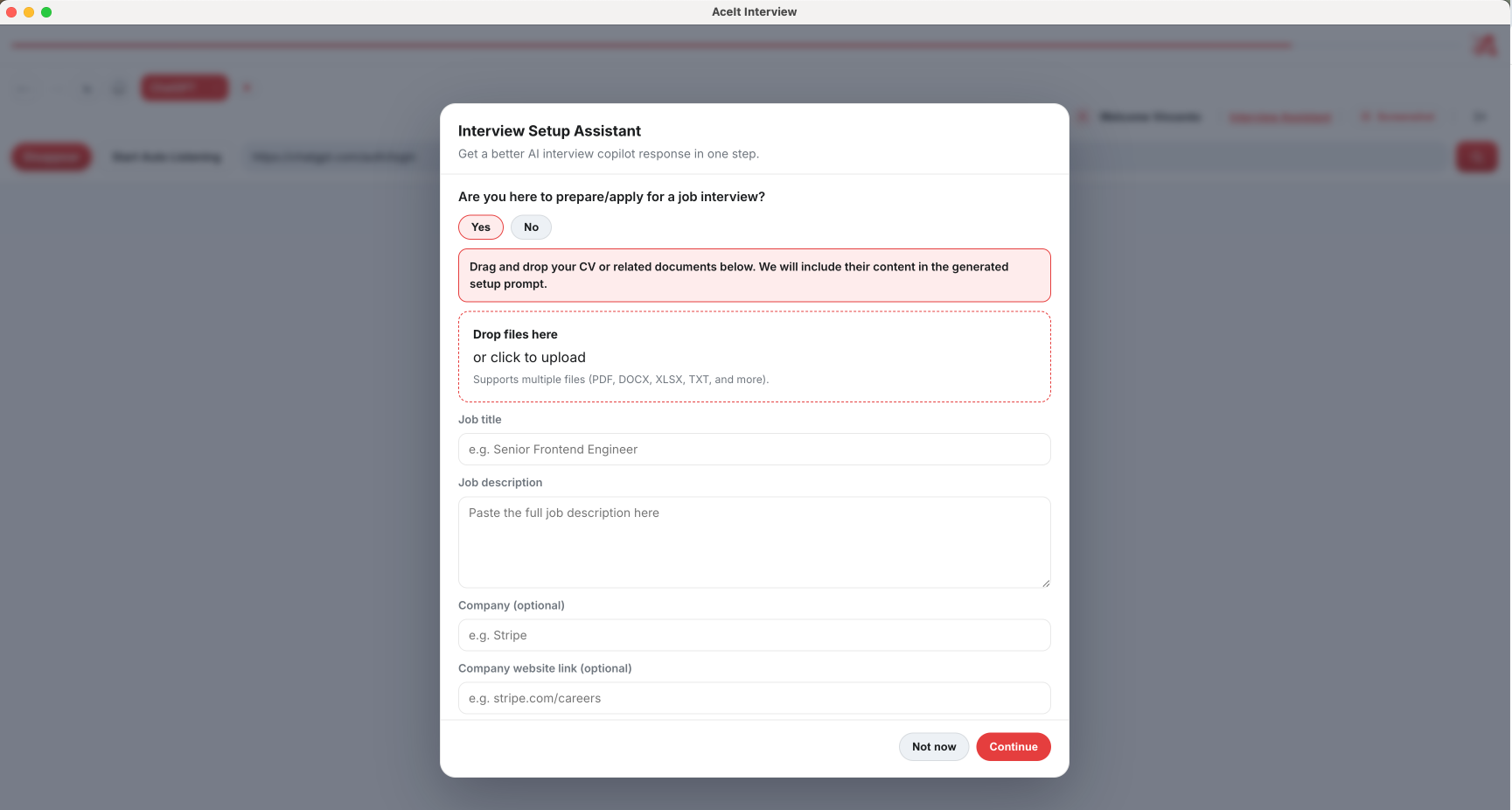
Before the interview, upload your CV and attach role-specific resources in the Interview Assistant setup. AceIt injects that context into prompts so suggestions sound like you — not a template pulled from the internet.
During the call, toggle dictation to capture behavioral questions as they are spoken. For technical screens, use Analyze Screen to send a screenshot of the problem statement or IDE window straight into your AI thread. Interview mode simplifies the toolbar so only the controls you need stay visible.
Stealth-oriented browser controls help when you share your screen. Session persistence means you can recover context if a tab reloads. The goal is simple: less friction, more time thinking about the answer instead of fighting your tools.
Who benefits from an AI interview assistant
Software engineers facing back-to-back coding and system-design loops use AceIt to keep problem statements, constraints, and starter code in one place while they think aloud.
Product managers, data analysts, and consultants lean on the same workflow for case questions and behavioral rounds where framing matters as much as content.
Career switchers and international candidates often need an extra layer of structure under pressure. An AI interview assistant does not replace preparation — it helps you deliver the preparation you already did when adrenaline spikes.
AI interview assistant vs. practice-only tools
Mock interview apps and question banks are useful for rehearsal. They are not designed for the moment you are live with a hiring manager, following up on a whiteboard prompt, or clarifying requirements on a shared doc.
AceIt targets live execution. You still study algorithms, rehearse STAR stories, and research the company. When the interview starts, the assistant stays in the background of a browser built for that job — not a separate practice session you have to context-switch into.
If you are comparing AI interview tools, look for low-latency capture, host flexibility (bring your own model subscription), and controls that respect screen-share scenarios. Those are the problems AceIt was designed around.
Frequently asked questions
Is AceIt an AI interview assistant or a replacement for ChatGPT?
AceIt is an interview assistant and browser workflow layer. You keep your ChatGPT, Claude, Gemini, or Grok login. AceIt adds transcription, screenshots, interview mode, and CV-grounded prompts on top.
Does the AI interview assistant work during video calls?
Yes. AceIt runs as a desktop browser alongside Zoom, Google Meet, Microsoft Teams, and similar platforms. Dictation captures spoken questions; screenshots handle shared coding environments.
Can I use the interview assistant for coding interviews?
Yes. Screenshot capture sends problem statements and IDE windows into your AI thread. See our coding interview assistant page for a deeper walkthrough of technical rounds.
Is there a free trial for the AI interview assistant?
New accounts can start with a Pro-feature trial after email verification. Visit Pricing for current plan details and entitlements.